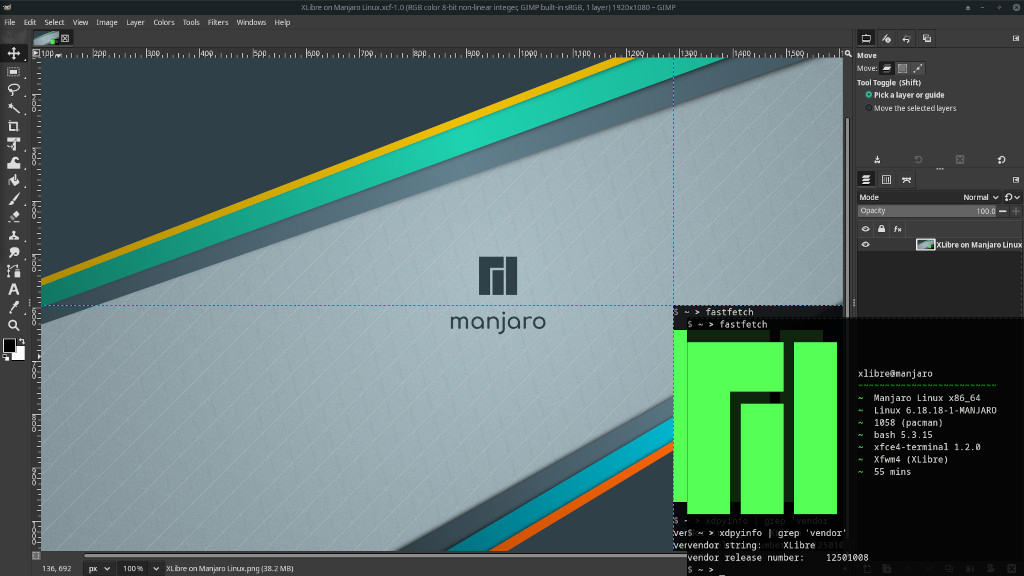
XLibre Packages for Manjaro Linux
This third-party repository provides XLibre x86_64 binary packages for Manjaro Linux. XLibre is the community-managed display server for the X Window System Protocol Version 11 (Wikipedia), in short, X11. You can learn more about XLibre at xlibre.net.
For XLibre packages for other Arch Linux-based distributions, please see xlibre-arch.github.io.
Installing XLibre Manually
Adding the Public Package Signing Key to pacman
First, please download the public OpenPGP signing key xlibre-manjarolinux.asc used to sign the packages and add it to the pacman keyring:
curl -O https://xlibre-manjaro.github.io/xlibre-manjarolinux.asc
sudo pacman-key --add xlibre-manjarolinux.asc
sudo pacman-key --finger D1445F51BC0A8969
sudo pacman-key --lsign-key D1445F51BC0A8969
You can read more about package signing on the pacman/Package signing - ArchWiki page.
Adding the Repository to Pacman
Once you added the public key, also add an entry for the XLibre repository to the end of the file /etc/pacman.conf using sudo and your favorite editor:
[xlibre]
Server = https://xlibre-manjaro.github.io/$arch
Run pacman to update all package indexes and installed packages:
sudo pacman -Syyu
Installing XLibre
Installing XLibre is as easy as installing the xlibre-meta package:
sudo pacman -S xlibre-meta
The included packages will replace any of their installed X.Org counterparts. When asked, just answer with y . To make use of XLibre, log out of your desktop or X session and log in again.
In case you get kicked out of a running desktop or X session while you’re installing XLibre, just re-run pacman after you logged in again and let it install the missing packages:
sudo pacman -S xlibre-meta
When done, install the program xorg-xdpyinfo and filter its output for the vendor tags:
sudo pacman -S xorg-xdpyinfo
xdpyinfo | grep 'vendor'
It says XLibre? Congratulations!
Support for the Legacy Proprietary Nvidia Drivers
Besides support for AMD, Intel, newer Nvidia, and many other drivers, the XLibre Xserver 25.1 series also added support for the legacy proprietary Nvidia drivers v340, v390, and v470. It is enabled in the xlibre-xserver package by default. Please see the NVIDIA - ArchWiki page on how to install and configure the legacy proprietary Nvidia drivers. You can also find more information about the XLibre Nvidia support in the XLibre XServer 25.1 changelog.
Getting in Contact
Please report any enhancement requests or issues with this repository at Issues · xlibre-manjaro/xlibre-manjaro. If you have a specific issue, please see the list of package repositories and report it there. In case you need help, want to report success or talk about other aspects, please also check the official XLibre channels.